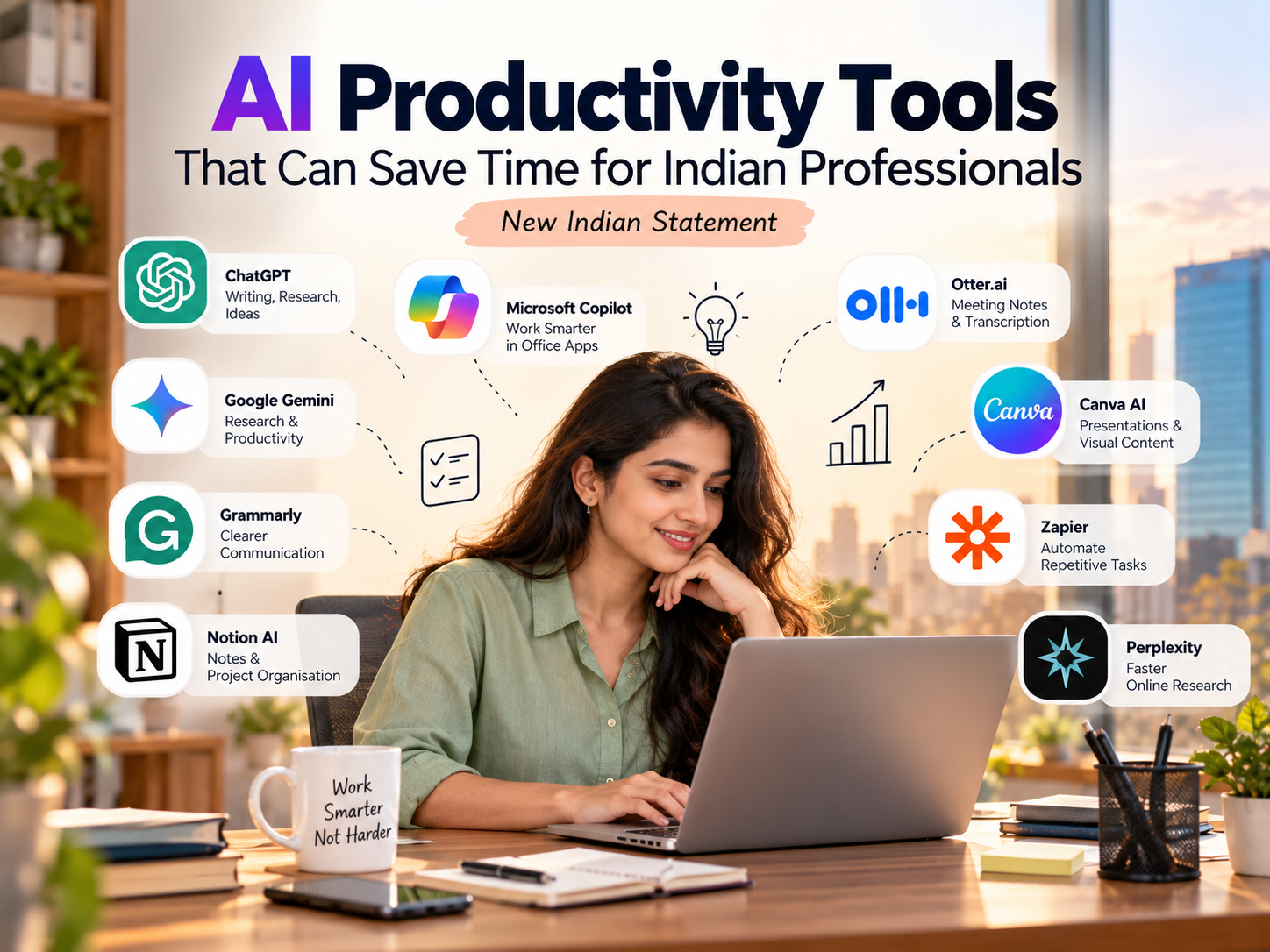
AI Productivity Tools That Can Save Time for Indian Professionals
Open your inbox right now. How many unread emails are there? Now think about the report you still haven’t started and the meeting notes you promised to send yesterday. Yeah.
Most of us don’t have a time problem as much as a clutter problem. The actual work takes an hour, and the stuff around it takes four. That’s why AI productivity tools for Indian professionals have become such a big topic lately. People aren’t chasing a trend. They just want their evenings back.
Here’s the thing though. Every week there’s a new tool promising to change your life, and most of them won’t. So at New Indian Statement, we picked nine that are genuinely useful, and we’ll tell you where each one helps and where it doesn’t.
ChatGPT
Let’s start with the obvious one. ChatGPT is good at the boring first draft. You know that moment when you’re staring at a blank email, not sure how to word a polite “please pay the invoice”? Type your points, ask for a draft, tweak it. Done in two minutes.
A marketing person can paste rough campaign numbers and ask it to organise them into a report outline. A shop owner can get help replying to a complaint without sounding angry. Students use it to understand topics their textbook explains badly.
The trick is being specific. “Write an email” gives you rubbish. “Write a short firm email to a client who is ten days late with payment, no rude words” gives you something usable.
One more thing, and this is important. It makes mistakes while sounding completely confident. Numbers, dates, names, anything legal, always double check.
Microsoft Copilot
If your office lives in Excel, Word, PowerPoint and Outlook, this one makes sense, because it sits right inside those apps. No copy pasting between tabs.
Imagine coming back from a long weekend to eighty emails. Having a quick summary of what actually needs your attention is honestly a relief. It can also suggest slide content, tidy up a document or explain what’s going on in a messy spreadsheet.
But what you get depends on your plan and what your company has switched on. Some companies don’t allow it at all because of data rules. Ask your IT team before you get excited.
Google Gemini
Same idea, different ecosystem. If you’re a Gmail and Google Docs person, Gemini fits in naturally.
A small business owner could use it to write a customer email. An HR person could ask for a rough job description to start from. A consultant might use it to list research questions before starting a client report.
The nice part is you don’t leave the apps you already use. The not-so-nice part is that it can state wrong facts too. If it gives you a statistic or a legal point, find the original source. Treat the output as a rough draft, never a final answer.
Grammarly
Many of us write in English all day, but English isn’t our first language, so we second guess ourselves. Is this sentence too blunt? Does this sound rude to a client in London? Grammarly catches the grammar slips and also tells you when the tone is off.
Freelancers sending proposals love it. Managers writing instructions to their team find it useful too, because clearer messages mean fewer “what did you mean?” replies later.
But don’t just click accept on everything. Sometimes it fixes a sentence and quietly changes what you meant, or takes out the bit that made it sound like you. Read it again before sending.
Notion AI
Be honest. Where are your notes right now? Some in WhatsApp, some in a notebook, some in a doc you can’t find. Notion tries to put all of that in one place, and its AI can summarise pages, pull out action items and draft text from your notes.
A freelance designer with five clients, each with their own feedback and deadlines, will feel the difference quickly.
Still, a warning. AI doesn’t fix a messy system. If your workspace is chaos, you’ll just get faster chaos. Sort out the structure first. Then add the AI.
Otter.ai
Meetings are where good ideas go to be forgotten. Otter records, transcribes and summarises, so when someone asks “what did we agree on the deadline?” you don’t have to guess.
It’s useful for consultants, recruiters, sales teams, remote workers. Anyone who spends the day on calls.
Two things to keep in mind. Ask people before you record, because it’s basic courtesy and some workplaces have rules. And skim the summary yourself, since auto transcription sometimes gets names or numbers wrong, especially with strong accents or bad connections.
Canva
Not everyone has a designer on the team. Canva lets you make a presentation, an Instagram post or a festival offer banner using templates, and its AI features speed things up further.
A small shop owner can have a Diwali sale post ready in ten minutes. A freelancer can keep a client’s designs looking consistent.
Look carefully at the final version though. Spelling, fonts, brand colours, image quality. And if you’re posting in Hindi or another regional language, double check the text, because a wrong word or odd translation looks really bad when it’s public.
Zapier
Some tasks aren’t hard. They’re just the same thing, over and over. Copy a form entry into a sheet. Send a message when a new enquiry comes in. Create a task when a client pays.
Zapier links your apps and does these small jobs for you. Fill in a form on your website, and it can add the person to your CRM and ping you on Slack without you lifting a finger.
Go slowly with it. Test every automation, check for duplicates and be careful with customer data. A smart way to start is to pick one weekly chore, understand each step, and automate only that.
Perplexity
Research can swallow a whole afternoon, especially on a topic you know nothing about. Perplexity gives you answers with links to the sources, so you can see where things came from.
A founder can use it to figure out what questions to ask before a market study. A marketer can get a quick feel for industry trends.
Use it to start, not to finish. Open the links, check the dates and separate facts from opinions. No big business decision should rest on one AI answer.
How to Pick the Right One
A very common mistake: spending a whole weekend testing ten tools and then doing no actual work. Don’t be that person.
Start with your biggest headache. Lots of writing? Try ChatGPT or Gemini. Live in Microsoft Office? Look at Copilot. Worried about your English? Grammarly. Notes everywhere? Notion. Too many calls? Otter. Need quick visuals? Canva. Boring repeat tasks? Zapier. Constant research? Perplexity.
You do not need all nine. And please don’t pay for all of them. Plans and prices change often, so check each official website before you buy. Try one tool for a week and ask yourself honestly if it saved you time. If it did, keep it. If not, drop it and move on.
Don’t Let AI Make Your Work Worse
Fast and good are not the same thing. A rushed report with wrong figures creates more work later, and an email that sounds like a machine wrote it can put people off.
So a few simple rules. Tell the tool who the audience is, what tone you want and how long it should be. Check every name, number and date. Never paste client records, passwords, salary details or private company files into a tool unless you’re certain it’s allowed. Make the big calls yourself, about people, money and strategy. And if a tool takes longer to set up than the task itself, it’s not for you.
Basically, let AI do the dull stuff. Keep the thinking.
What New Indian Statement Is Trying to Do Here
AI isn’t just for coders anymore. Teachers, accountants, shop owners, marketers and customer support teams are all using it now. We want to explain what that really means for ordinary working Indians.
That’s more than a list of apps. It’s about what each tool does well, where it struggles, how much effort it needs and how to use it responsibly. Beginners need plain explanations and real examples. People who already use AI want fresh workflow ideas.
In short, we’d like Indian professionals to choose tools because they solve a problem, not because everyone on LinkedIn is talking about them.
Conclusion
AI can take a lot of routine work off your plate. Drafting, summaries, presentations, research, small repeat tasks, all of it.
But more apps don’t mean more productivity. The right few, used properly and checked carefully, do. If you’re looking into AI productivity tools for Indian professionals, start with one real problem and one tool. See if your day gets better.
And remember, the tool supports your judgement. It doesn’t replace it. Use it well and you get more time for the things only a person can do, like planning, creating, building relationships and making hard decisions. New Indian Statement will keep covering this space in a practical, no-hype way.
Frequently Asked Questions (FAQs)
What are AI productivity tools?
Software that uses artificial intelligence to help with everyday work like writing, research, summaries, design, meeting notes and automation.
Which AI tools are useful for Indian professionals?
ChatGPT, Gemini, Copilot, Grammarly, Notion AI, Otter.ai, Canva, Zapier and Perplexity are all popular. Which one suits you depends on your work, your budget and the software you already use.
Can AI tools really save time at work?
Yes, mostly on repetitive stuff such as drafting emails, summarising documents and writing up meeting notes. How much time you save depends on how you use them.
Are AI productivity tools free?
Many have a free plan with limits. The better features usually cost money, and prices change, so check the official site before paying.
Are they good for freelancers and small business owners?
Very much so. Client emails, content drafts, research, designs and project tracking are all easier. Just pick tools that match what you actually need and can afford.
Is it safe to use AI tools for work?
Generally yes, if you follow your company’s rules, read the privacy terms and keep confidential information out. Always check the output before you use it.
Will AI replace Indian professionals?
It will change many jobs by taking over some routine tasks. How much depends on the field. People who learn to use AI well, and who keep building communication and subject skills, will be in a stronger spot.
How can beginners start?
Pick one repetitive task, try one tool, ask clearly and check the result. Starting small shows you what works.
What is the role of New Indian Statement in AI and technology awareness?
New Indian Statement publishes simple, practical articles on AI tools, digital trends and workplace skills, so readers can make smarter technology choices in their careers and businesses.